Demo Walkthrough: How armsAI Generates a Complete Risk Assessment in About a Minute
Still building risk assessments manually? In this demo, we show how armsAI generates a complete, standards-aligned risk assessment in about a minute—including hazards, threats, consequences, and preventive barriers. From a topic like "Working at Heights" to fully structured tables with assignable responsibilities and digital approvals—all inside one tool.
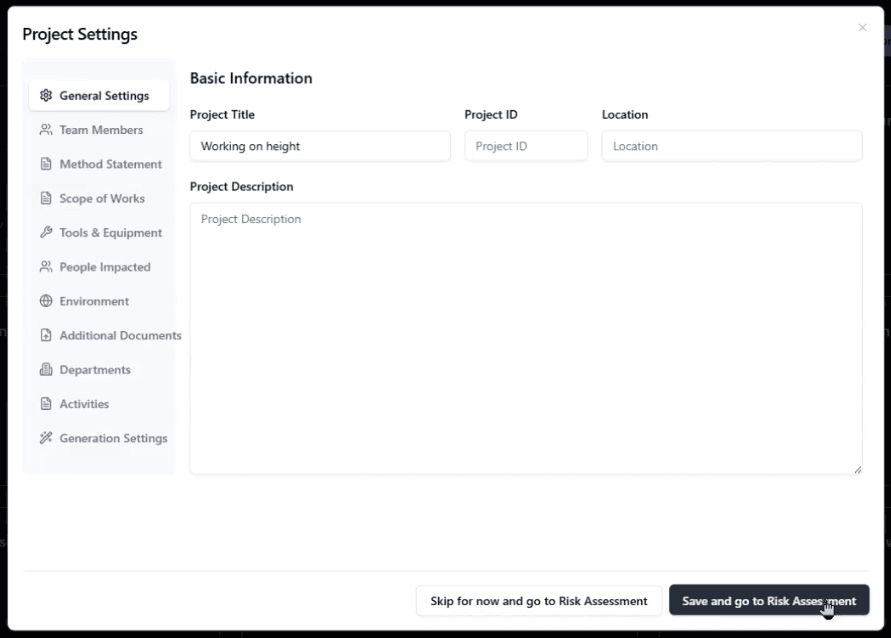
Figure 1: Enter your risk assessment topic (e.g., "Working at Heights")
Step 1: Create a New Risk Assessment
You start by entering the scope or topic of your risk assessment—for example, "Working at Heights." The AI is trained on international standards, so it immediately understands the context and knows what kinds of hazards and controls to suggest. Optionally, you can add your company documents for smarter, more tailored results.
Step 2: AI Generates Hazards, Threats, Consequences & Preventive Barriers
armsAI identifies hazards, threats, consequences, and preventive barriers—all aligned to industry standards. The output is structured from the start: no manual formatting, no juggling spreadsheets. You can drag-and-drop hazards and threats to reorder or prioritize them as needed.
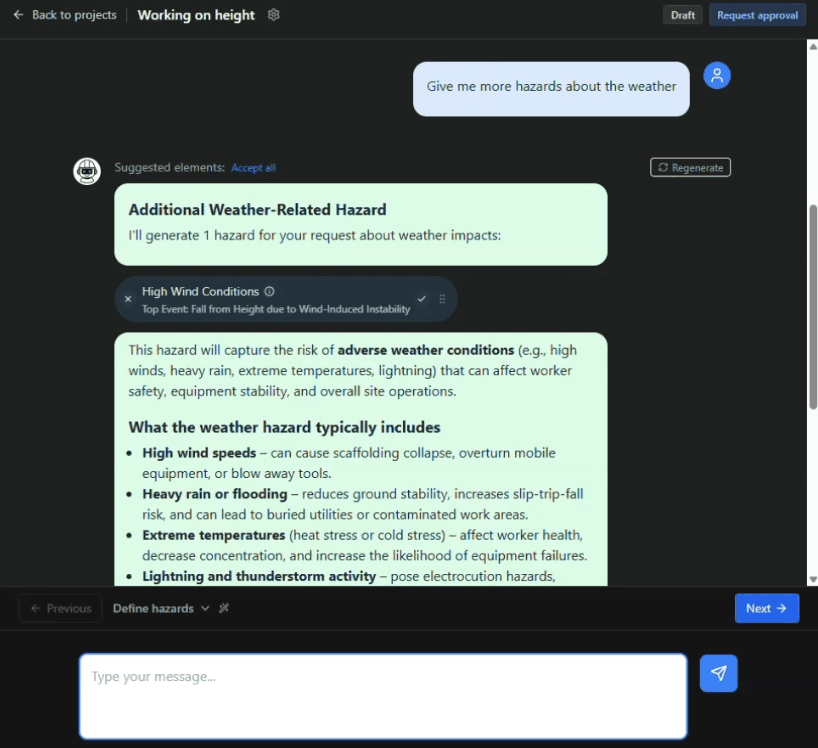
Figure 2: AI-generated hazards, threats, consequences, and preventive barriers
Step 3: Deep-Dive Suggestions with One Click
For any hazard or threat, you can click once to get deep-dive suggestions—additional context, related controls, or refinements. This lets you quickly expand or adjust the assessment without leaving the workflow.
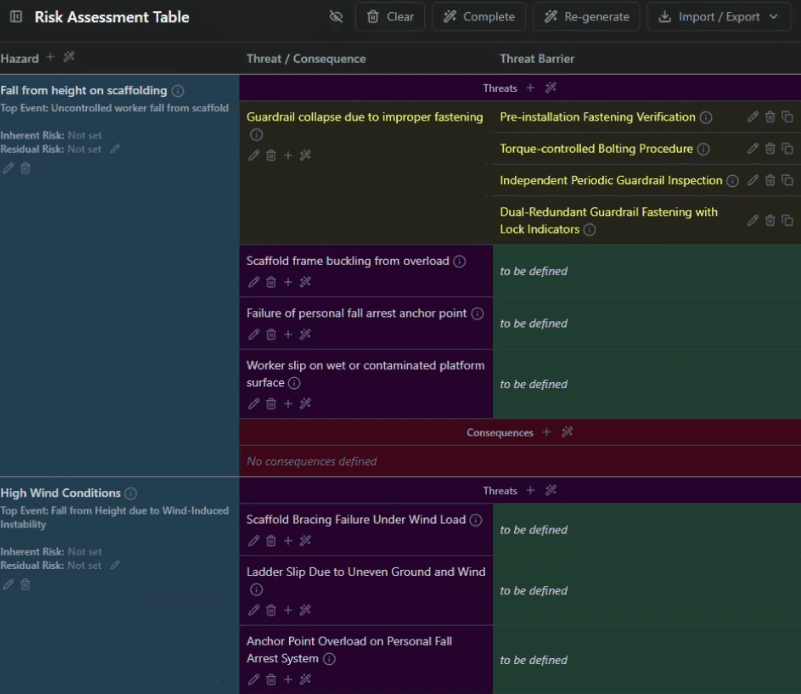
Figure 3: Deep-dive suggestions with one click
Step 4: Fully Structured Tables with Assignable Responsibilities
The risk assessment is built as fully structured tables. You can assign responsibilities to specific people or roles. Each control, barrier, or action can be linked to an owner—no more chasing down who owns what via email or spreadsheets.
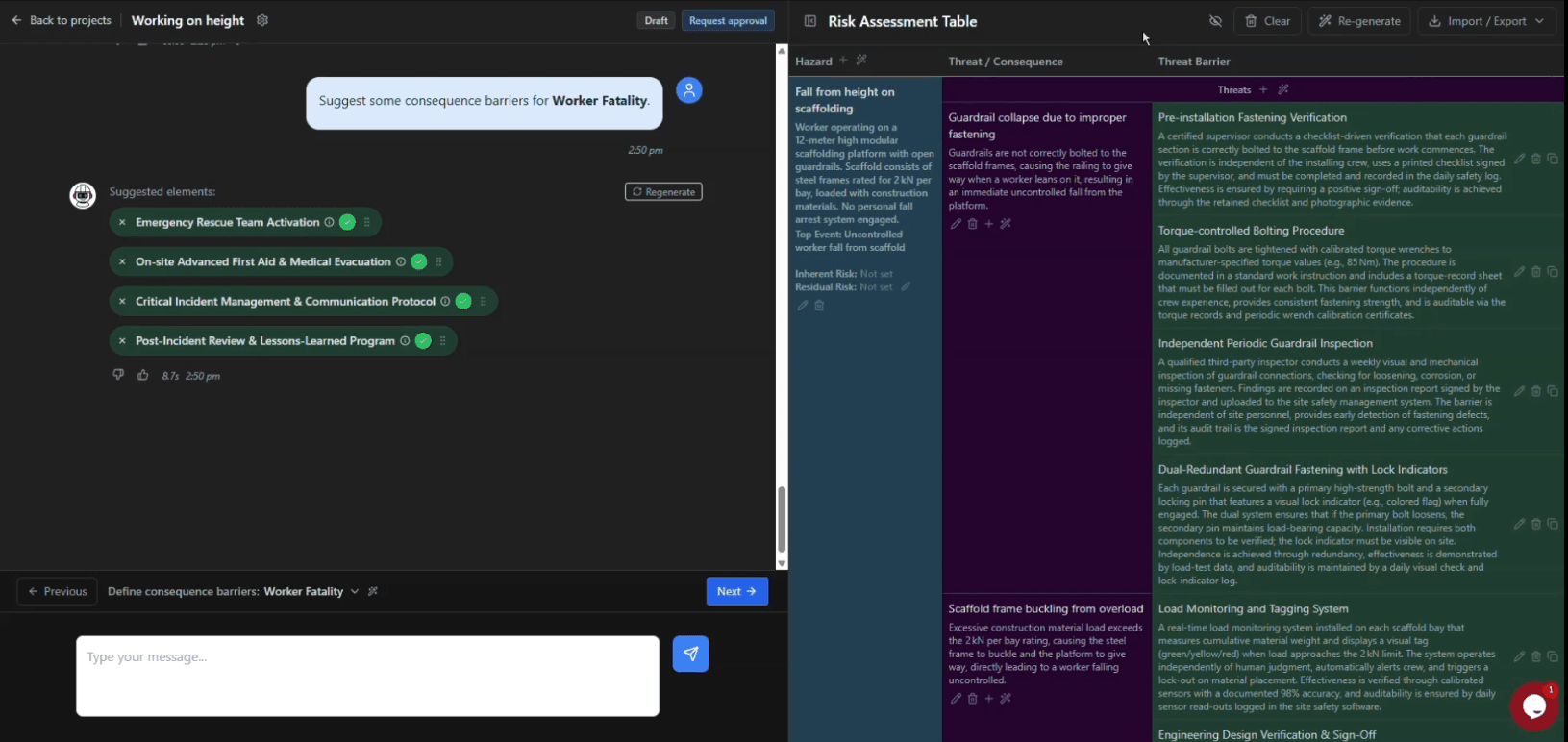
Figure 4: Fully structured tables with assignable responsibilities
Step 5: Digital Approvals & Signatures
When the assessment is ready, you collect digital signatures in-app. Approvers can review and sign directly in armsAI—no printing, scanning, or chasing physical signatures. Everything stays in one place.
Step 6: Export to PDF or Word
Export the completed risk assessment to PDF or Word. Use it for audits, training, or filing—without reformatting or manually rebuilding the document. armsAI does the heavy lifting so your team can focus on prevention, not formatting.
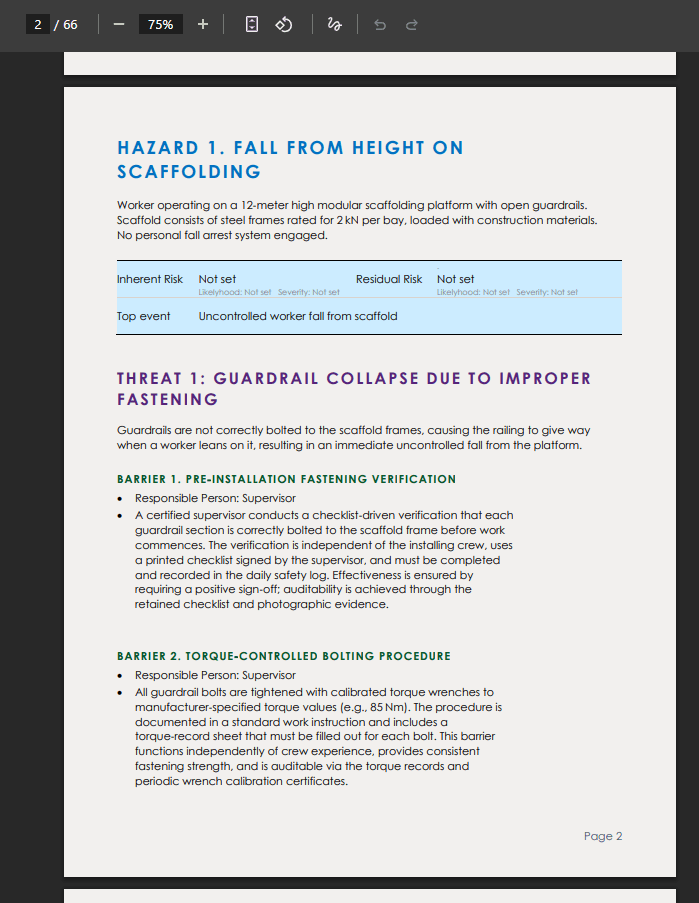
Figure 6: Export to PDF or Word
Summary: What You Get in armsAI
- AI trained on international standards
- Add your company documents for smarter results
- Drag-and-drop hazards and threats
- Deep-dive suggestions with one click
- Export to PDF or Word
- Collect digital signatures in-app
Stop wasting hours coordinating experts and paperwork. Let AI handle the heavy lifting so your team can focus on prevention—not formatting. Book a demo at armsai.net and modernize your risk workflow.
Ready to Transform Your Risk Assessments?
Schedule a personalized demo to see armsAI in action for your use case.
Schedule a Demo